
Running large language models locally usually comes down to a hard hardware boundary: video RAM. If a model does not fit into your GPU’s VRAM, performance usually falls off a cliff as soon as standard runtimes fall back to system memory over the PCIe bus.
Mixture of Experts (MoE) architectures offer an attractive theoretical escape hatch. While the total parameter count can be large (30B to 70B+), only a sparse subset of expert layers activates for any given token. However, standard local runtimes still require loading the entire weight footprint into memory, which puts 30B+ models out of reach for everyday consumer laptops with 8 GB of VRAM.
Enter FreeToken by FlashML, backed by their research paper (arXiv:2608.16157). FreeToken is an edge inference runtime designed specifically to run frontier MoE models on consumer hardware by dynamically managing a hierarchical cache between GPU VRAM and host RAM.
I recently downloaded FreeToken to put their claims to the test on my modest laptop GPU. Here is what the setup looked like, how FreeToken handles memory under the hood, and the real-world generation numbers I observed.
The Test Rig#
My test machine is a portable laptop, not a high-end multi-GPU workstation:
- CPU: 13th Gen Intel Core i9-13900H (14 cores, 20 threads)
- GPU: NVIDIA GeForce RTX 4070 Laptop GPU (8.0 GiB VRAM)
- Host RAM: 32 GB DDR5 (31.7 GiB usable)
- Operating System: Windows 11
- Runtime: FreeToken Desktop (v0.2.0-beta.17)
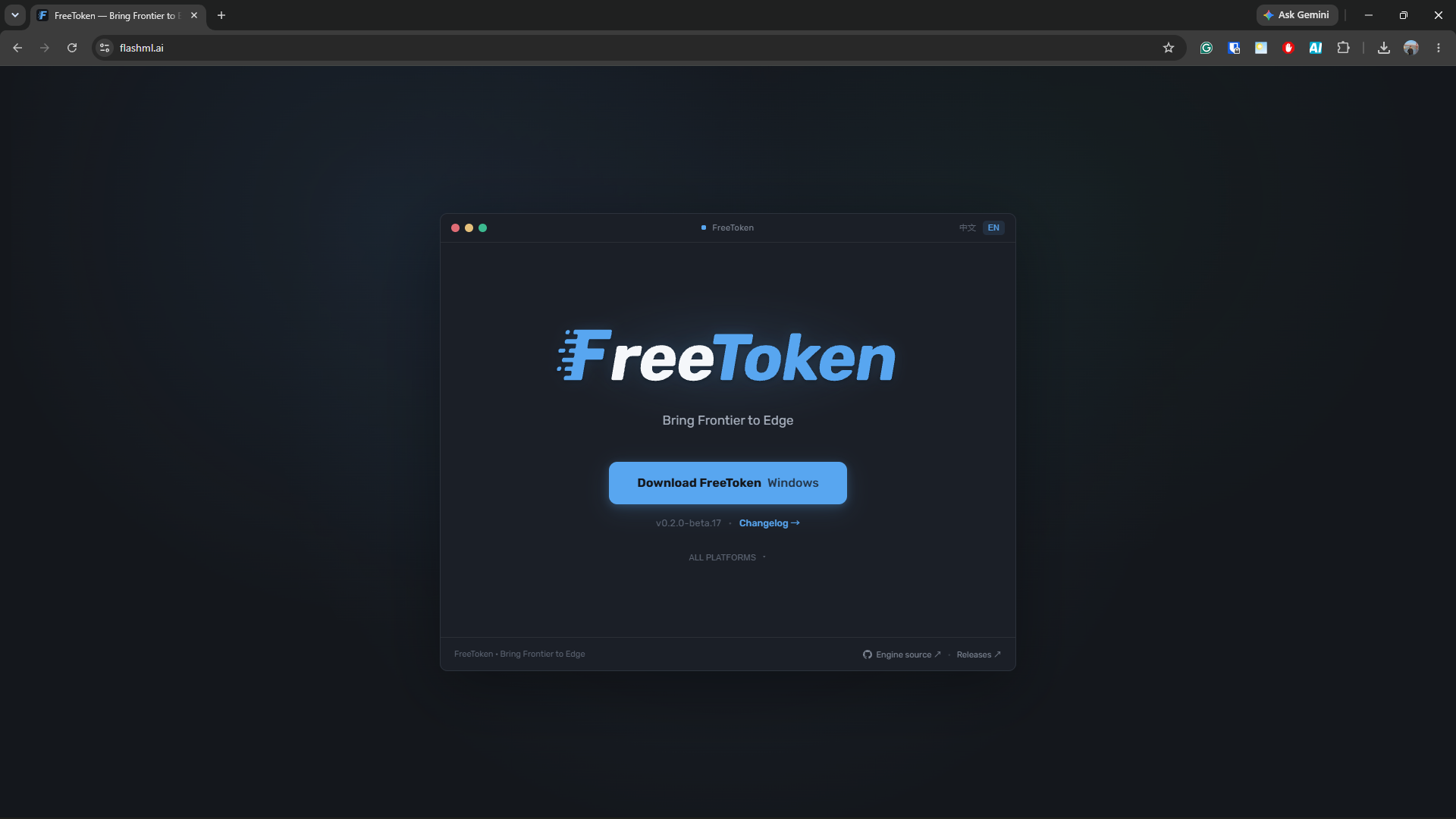
The FreeToken landing page highlights bringing frontier models to consumer edge hardware.
On paper, an 8 GB VRAM budget makes running a 35-billion parameter model look impossible. In traditional setups, 8 GB VRAM limits you to 7B or 8B parameter models in 4-bit quantizations (such as Q4_K_M). Attempting to load a 35B model typically triggers out-of-memory errors or slows inference to a crawl.
Installing FreeToken and Exploring the Library#
The FreeToken desktop app is available to download directly from the FlashML website. It provides a self-contained installer that is quick to set up on Windows. When you launch it, the interface automatically detects your hardware specs, available VRAM, and system RAM, and presents a curated library of models optimized for edge offloading.
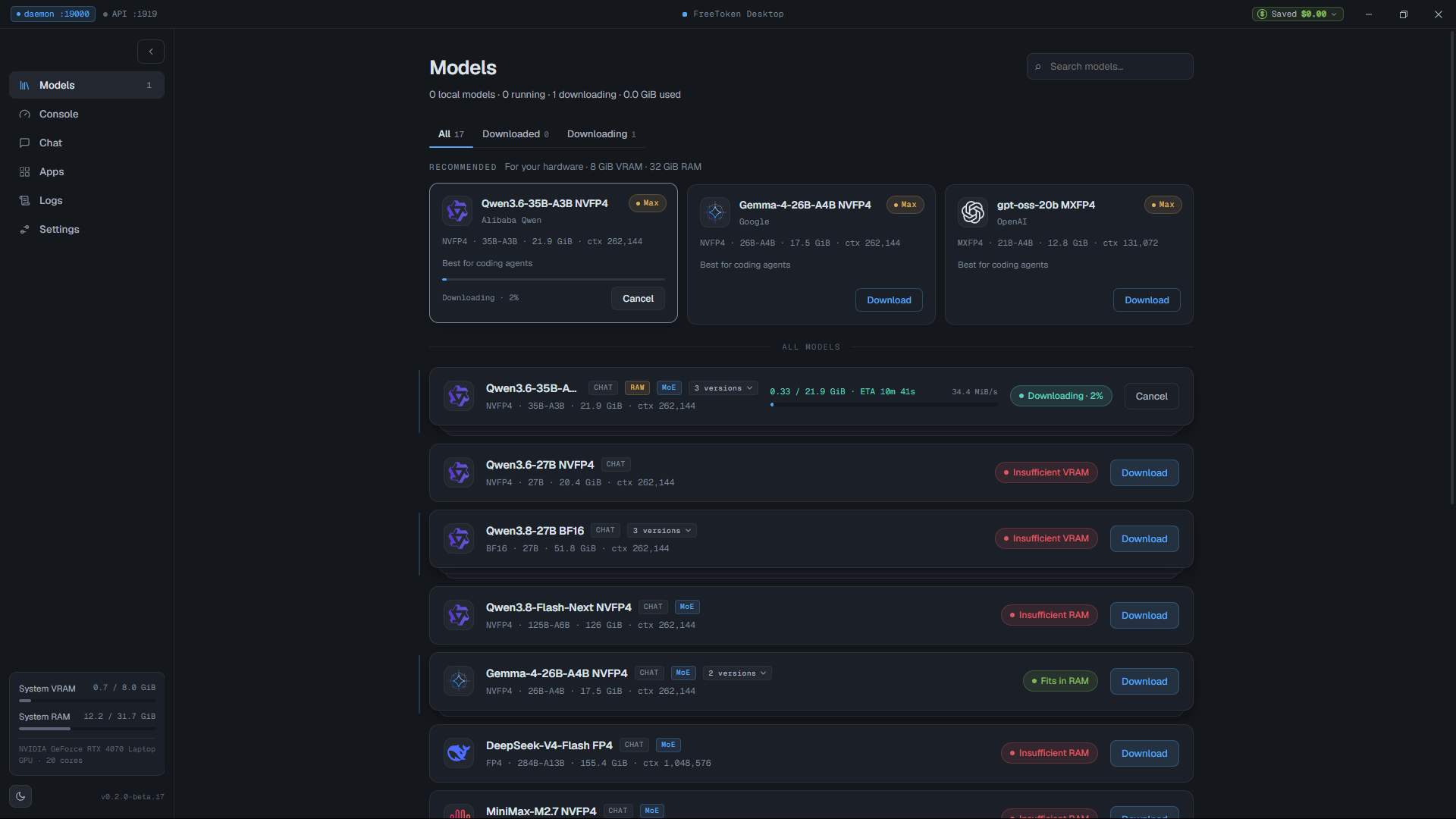
FreeToken accurately detects the RTX 4070 Laptop GPU (8 GB) and 32 GB RAM, recommending compatible models.
For this test, I selected Qwen3.6-35B-A3B NVFP4 (nvidia/Qwen3.6-35B-A3B-NVFP4). This is a 35-billion parameter MoE model using NVIDIA’s 4-bit floating point (NVFP4) format, with an initial download size of 21.9 GiB.
Before loading the model, the console dashboard showed clean baseline resource usage:
- GPU VRAM: 0.4 / 8.0 GiB
- Host RAM: 11.0 / 31.7 GiB
- GPU Temp: 42°C at idle
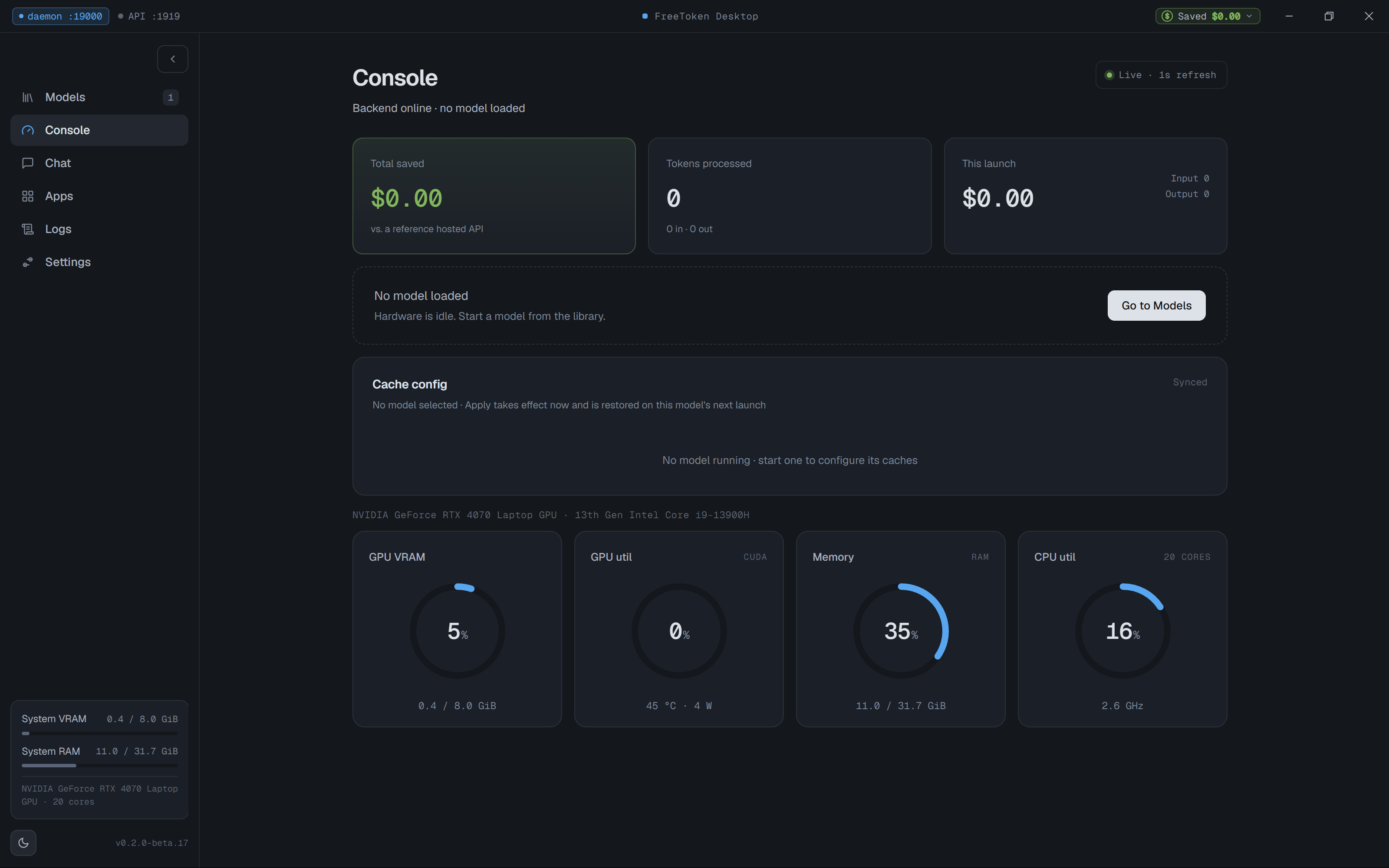
Idle console telemetry: 0.4 GiB VRAM used, ready for model weights.
Weight Conversion: The FTW Format#
Once the 21.9 GiB download finished, FreeToken flagged the model as needing conversion before it could be launched.
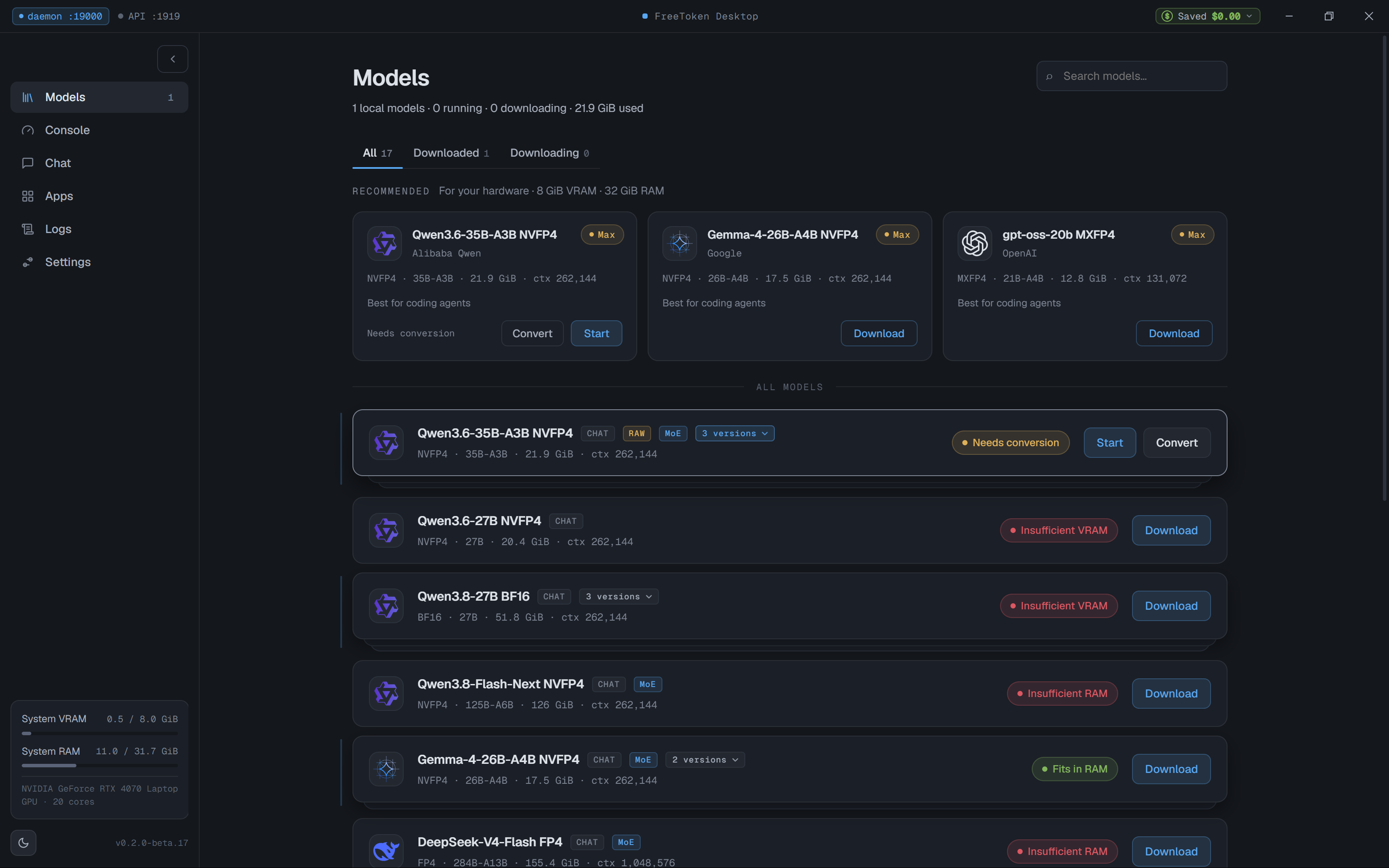
Raw model download complete (21.9 GiB), prompting for weight conversion.
FreeToken converts raw Hugging Face weights into its proprietary format called FTW (FreeToken Weight format). During this process, the engine repacks and organizes the tensors into memory-mapped structures optimized for rapid streaming between host RAM and GPU memory.
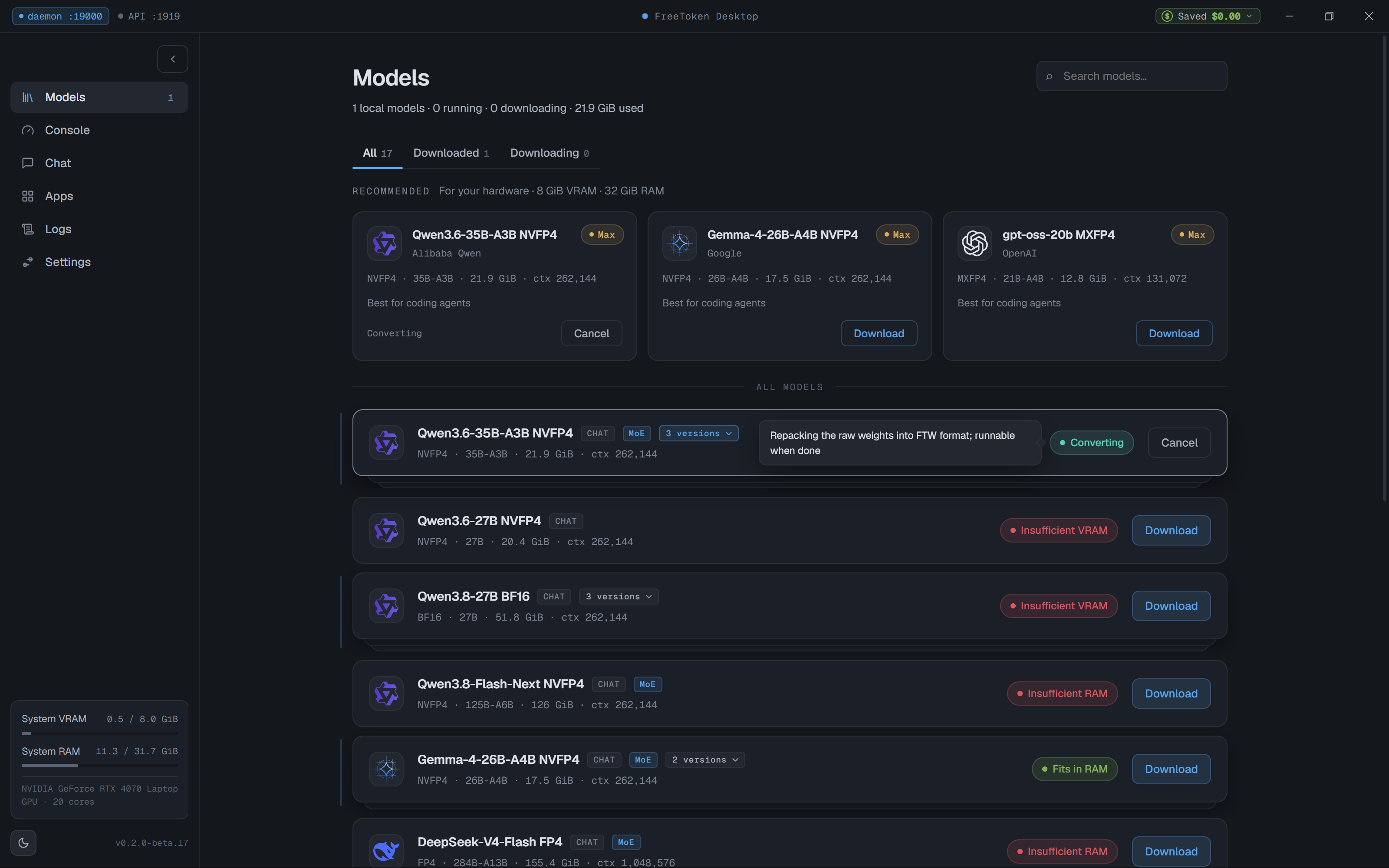
Repacking raw weights into FTW format for fast memory streaming.
The conversion took just over a minute on the i9-13900H and NVMe storage, producing a compact 19.5 GiB weight package.
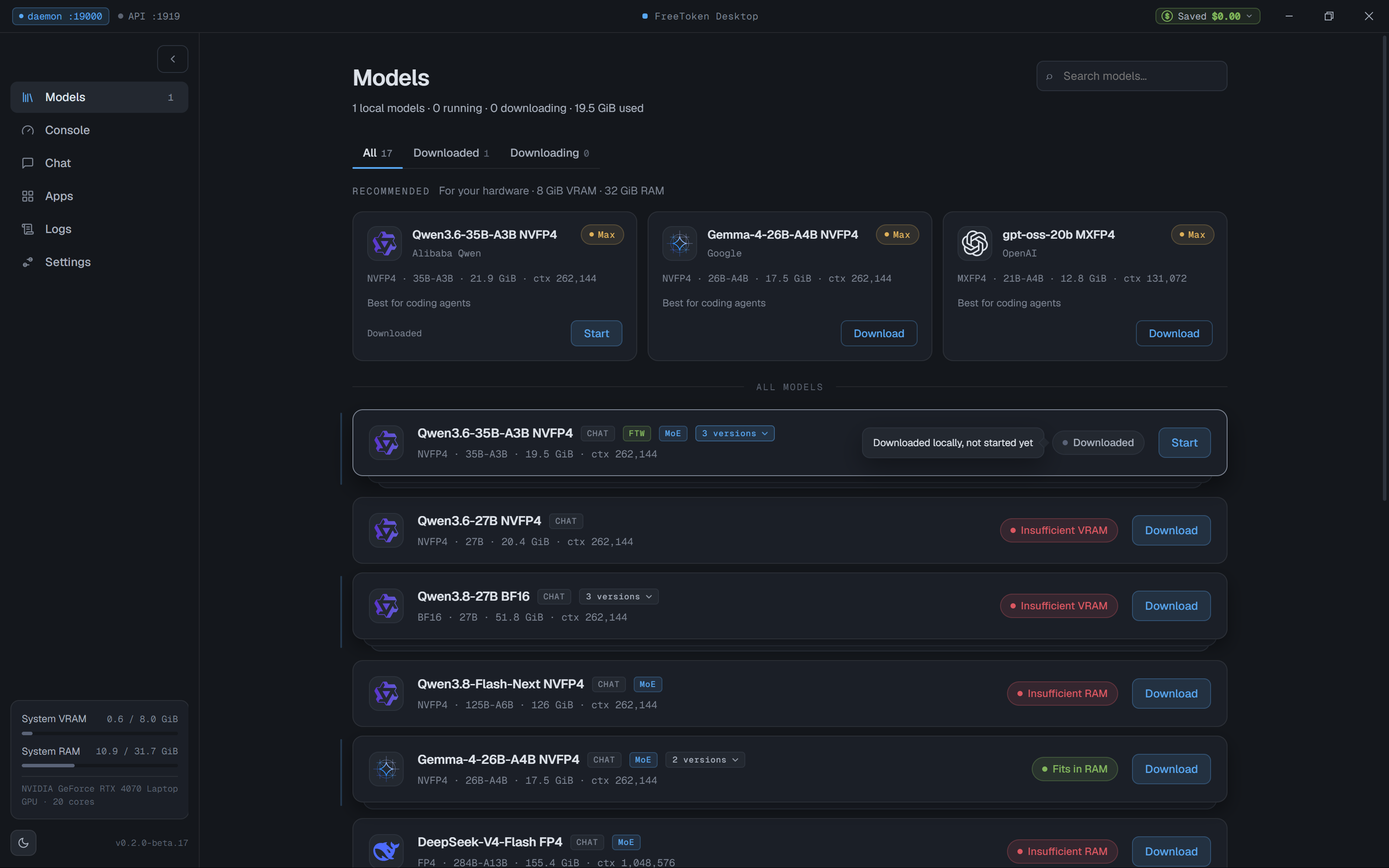
Conversion complete: 19.5 GiB ready for execution.
Loading the Model and Memory Allocation#
Starting the model triggers the weight allocation phase. Instead of attempting to cram the entire 19.5 GiB into the 8 GB VRAM, FreeToken partitions the workload across both memory tiers.
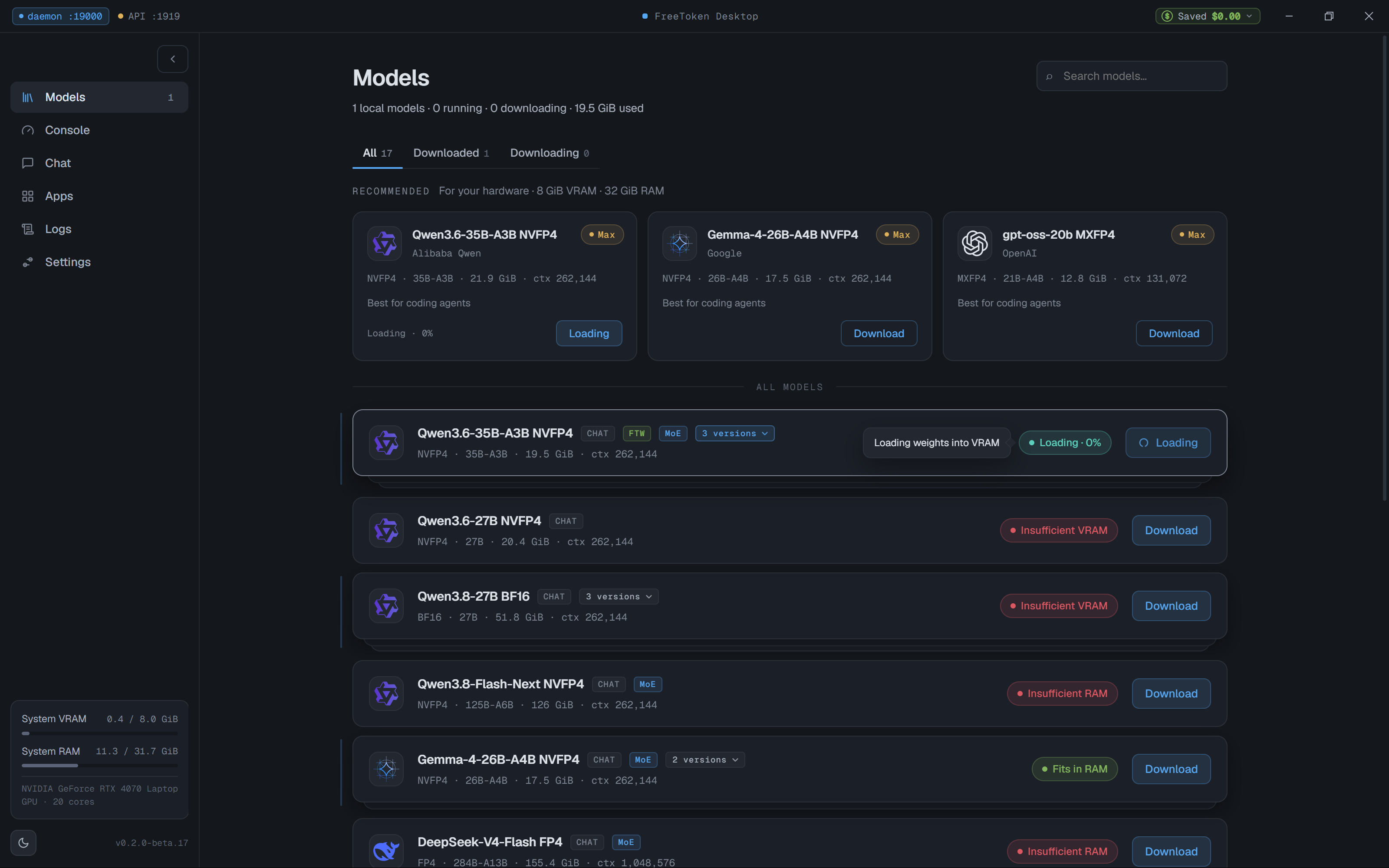
Starting model and populating active weights into VRAM.
Once loaded, the memory profile was eye-opening:
- VRAM Usage: 6.8 GiB / 8.0 GiB (85% utilization, leaving a healthy buffer for OS display compositing)
- Host RAM Usage: 30.2 GiB / 31.7 GiB (95% utilization)
- GPU Status: Running at 45°C, drawing only 7W at idle
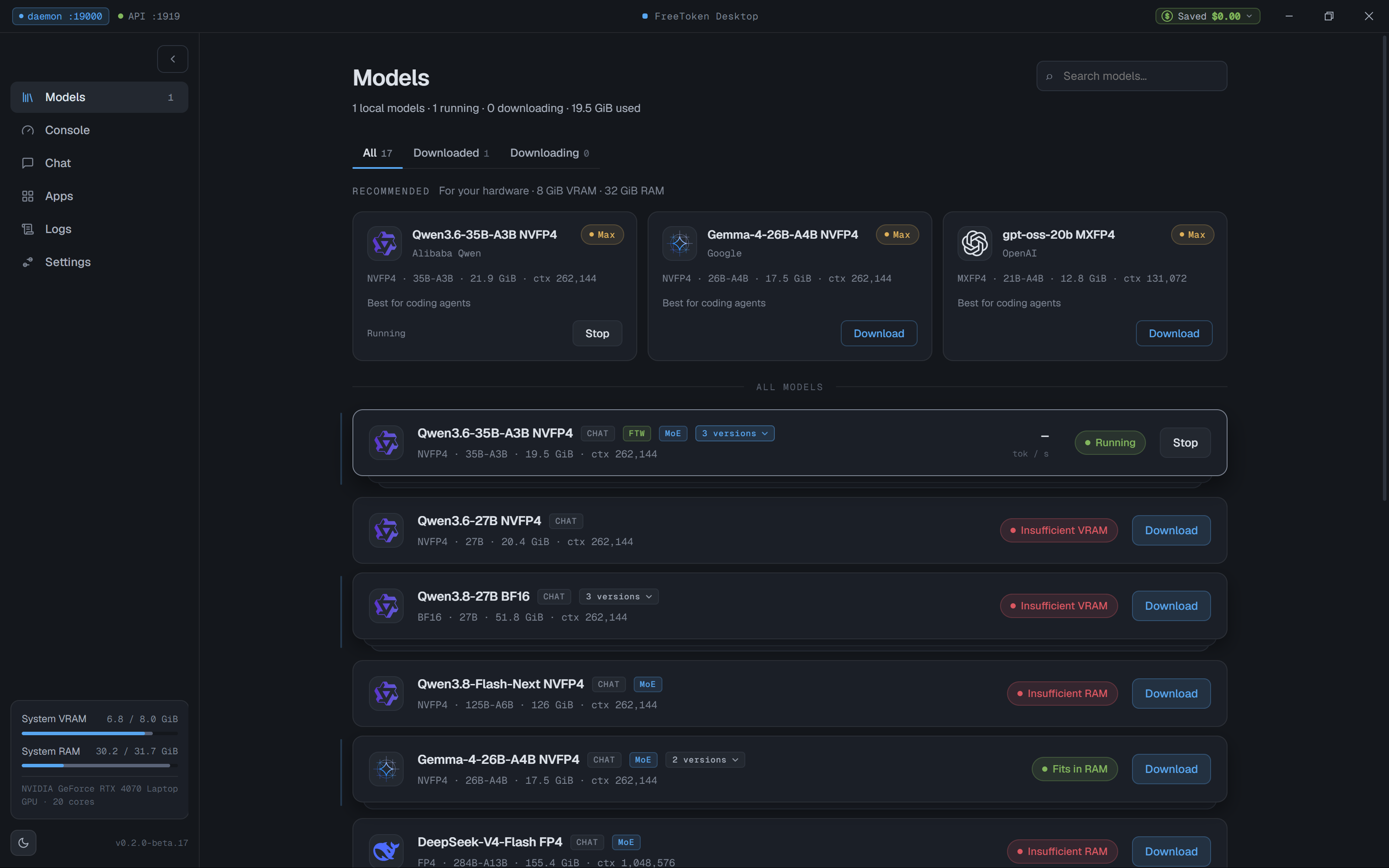
Model running: 6.8 GiB in VRAM and 30.2 GiB in system RAM.
The Cache Architecture Under the Hood#
The console view provides detailed insight into how FreeToken manages this memory footprint:
- MoE Expert Cache: FreeToken allocated 916 active expert slots in VRAM out of a total pool of 10,240 slots, consuming 1.51 GiB of VRAM. As different experts are needed during generation, they are dynamically paged in and out from the host RAM cache.
- KV Cache: 8K tokens of context were allocated in VRAM, consuming just 0.16 GiB.
- Mamba State Slots: 24 state slots were reserved, using 1.44 GiB of VRAM.
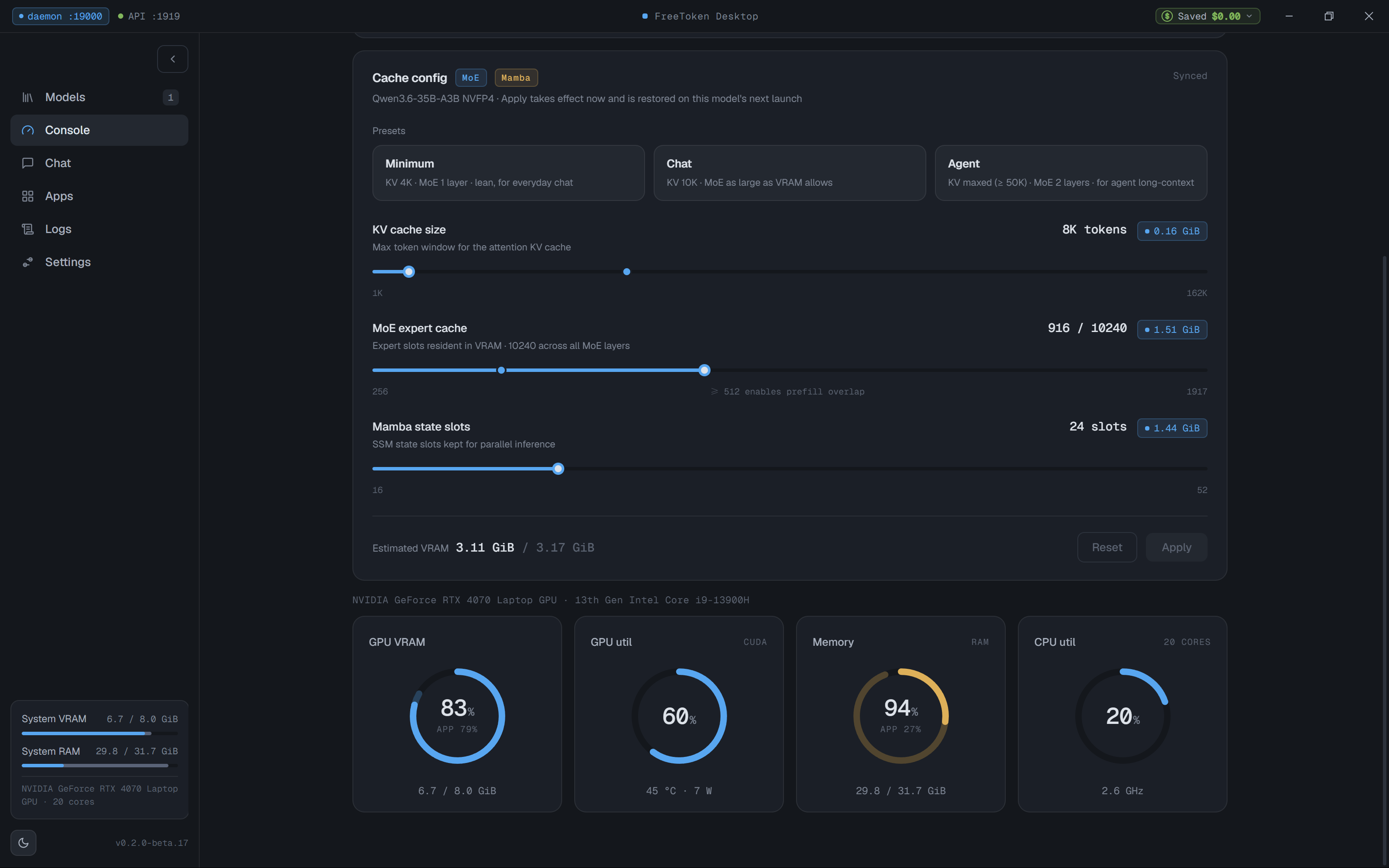
Detailed cache breakdown: MoE expert cache, KV cache, and Mamba state slots in VRAM.
This hierarchical design is the core reason the model can run without crashing. Inactive experts reside in system RAM (filling ~30 GB of system memory), while the active attention layers, KV cache, and currently triggered experts reside in the 8 GB VRAM.
Real-World Performance & Generation Speed#
To evaluate real-world performance, I tested a conversational prompt with reasoning enabled:
User: “hi, how are you ?”
The model engaged its full thinking process, taking 1 minute and 9 seconds to plan and structure its response, and then generated 393 tokens at 4.3 tokens per second.
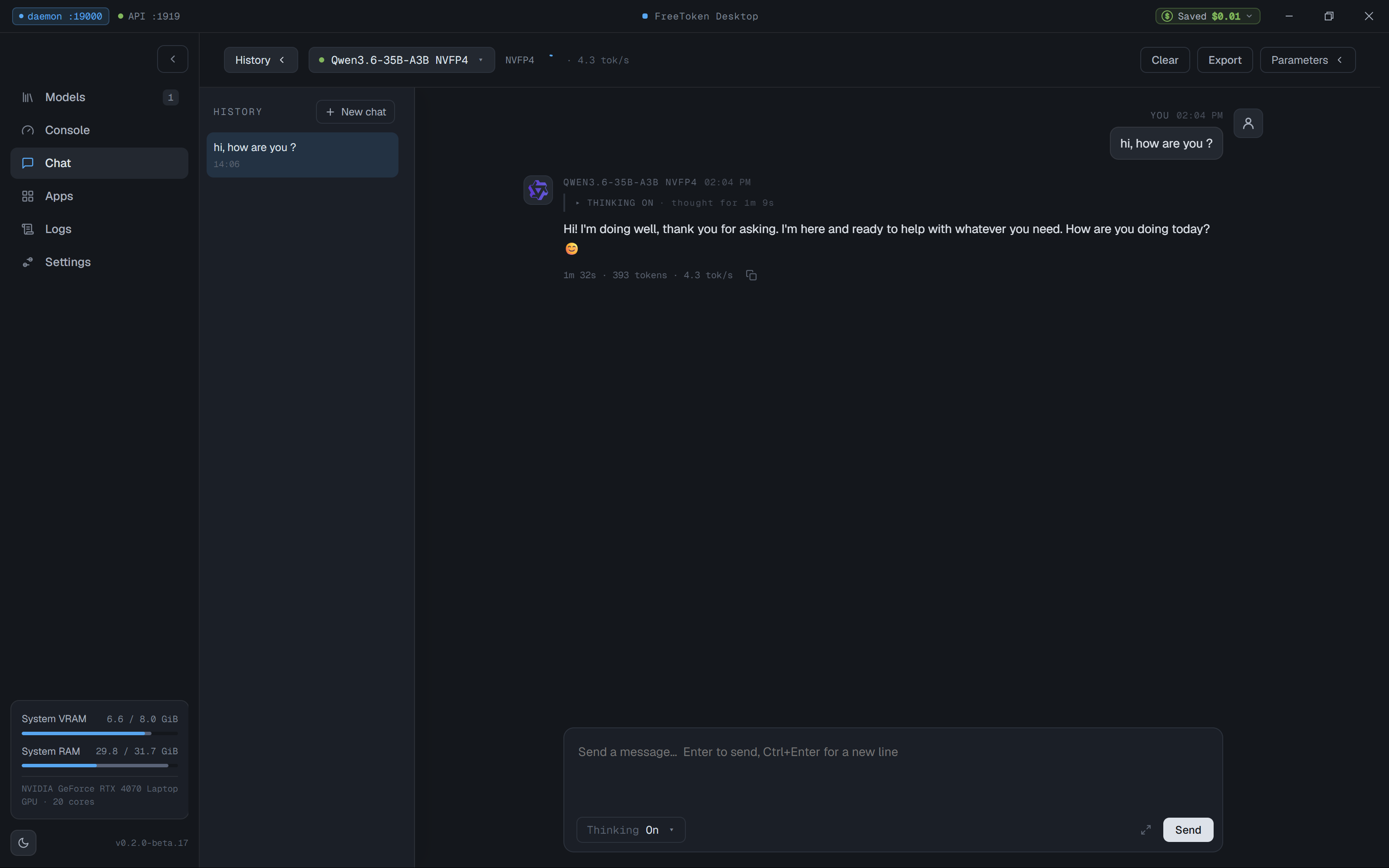
Chat generation benchmark: 393 tokens generated at 4.3 tok/s with full chain-of-thought thinking.
While 4.3 tokens per second is not real-time voice conversational speed, it is remarkably steady for running a 35-billion parameter model on an 8 GB laptop GPU. For tasks like code review, background agent execution, document analysis, or local drafting, 4.3 tok/s is completely practical.
The model detail sheet confirms the architecture and licensing details:
- Base Repository:
nvidia/Qwen3.6-35B-A3B-NVFP4 - Context Length: 262,144 tokens (256K context window)
- License: Apache 2.0
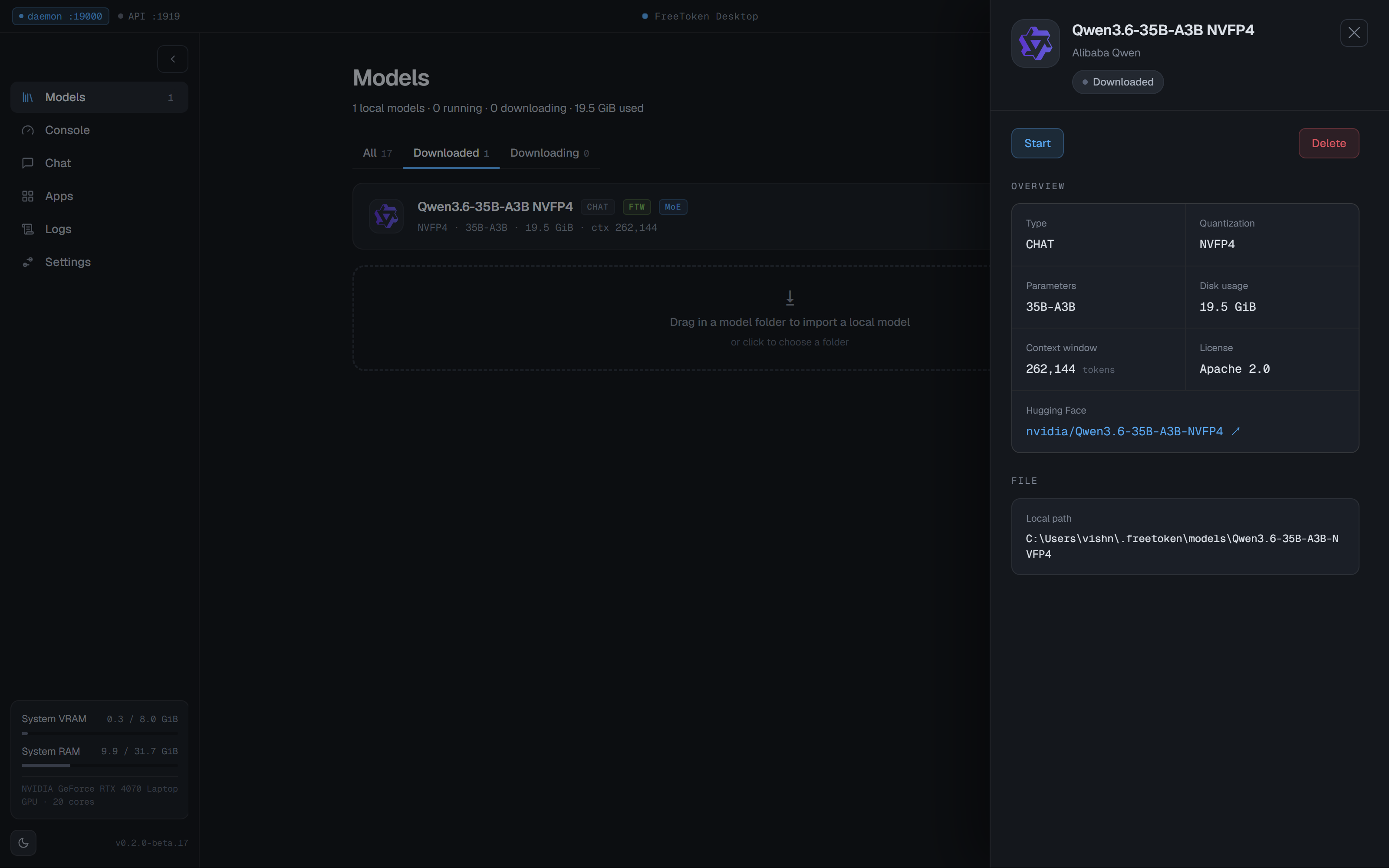
Model details: 262K context window, NVFP4 quantization, and Apache 2.0 license.
Built-in Agentic Tooling & Local Endpoints#
FreeToken also includes built-in support for developer tools and coding agents.
The Apps tab exposes both OpenAI-compatible and Anthropic-compatible local HTTP endpoints:
- OpenAI Endpoint:
http://127.0.0.1:1919/v1 - Anthropic Messages Endpoint:
http://127.0.0.1:1919/v1/messages
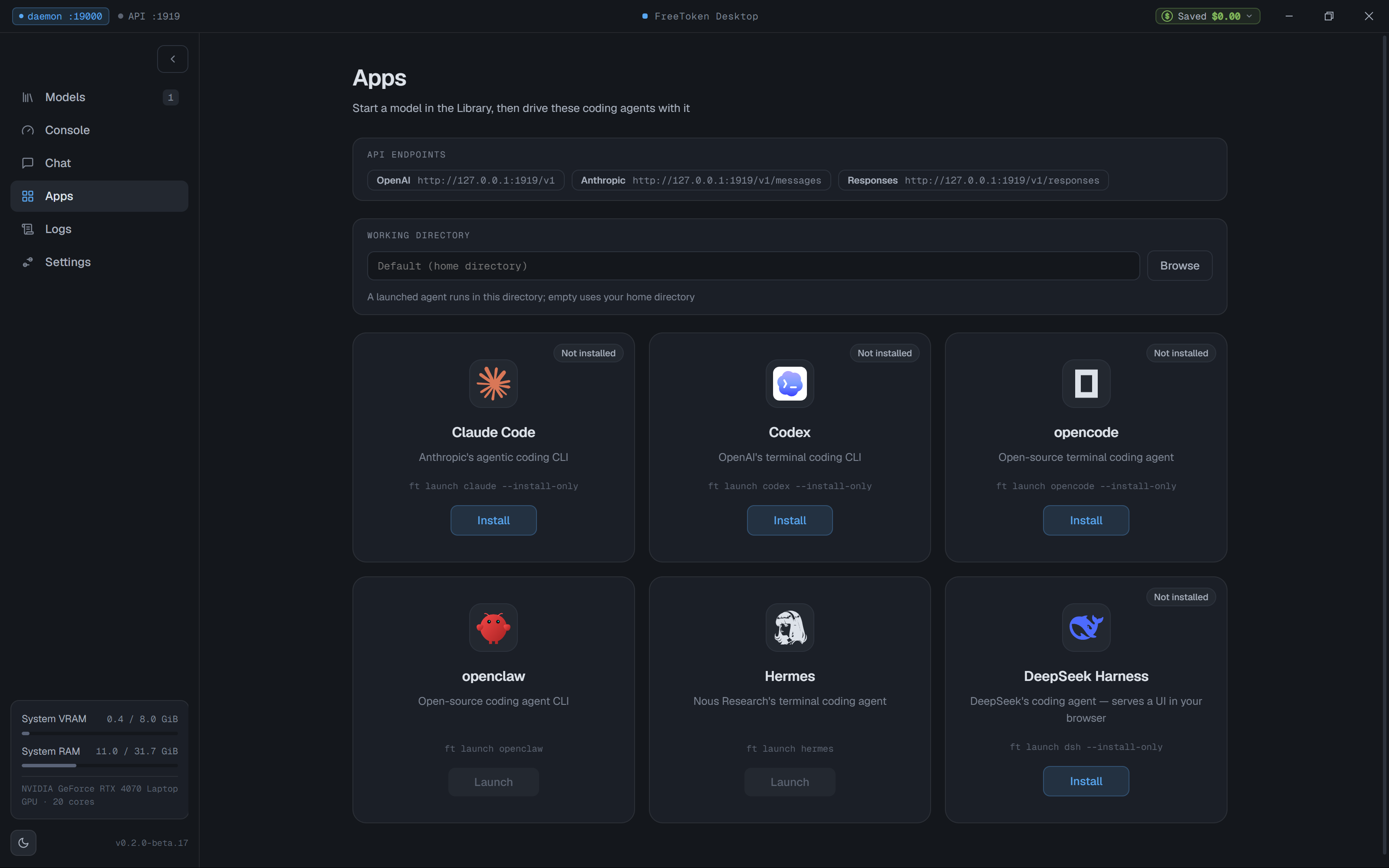
Local OpenAI and Anthropic compatible endpoints with one-click configurations for Claude Code, Codex, opencode, and more.
FreeToken provides quick configuration presets for popular coding assistants:
- Claude Code: Configurable via local Anthropic endpoint routing
- Codex / opencode / openclaw: One-click environment setups
- Hermes / DeepSeek Harness: Direct command-line integration
Having drop-in compatibility with both OpenAI and Anthropic API schemas means you can point tools like Claude Code directly to your localhost port without running a reverse proxy.
Where FreeToken Fits#
FreeToken is a relatively young product, but its approach solves a real constraint for local inference.
Strengths#
- Bypasses the VRAM limit: Running a 35B MoE model on an 8 GB laptop GPU without manual layer-by-layer offload tuning works out of the box.
- Hierarchical caching: The dynamic MoE expert cache keeps VRAM usage around 6.8 GiB, preventing driver resets and CUDA out-of-memory crashes.
- Local developer endpoints: Dual support for OpenAI and Anthropic endpoints makes integration with modern coding agents straightforward.
- Simple setup on Windows: No manual compilation, no CUDA toolkit troubleshooting, and a clean desktop GUI.
Limitations#
- System RAM is the real requirement: While VRAM requirements drop significantly, your host RAM must be large enough to hold the repacked weights. On my machine, the model took 30.2 GB of system RAM. If your laptop only has 16 GB of RAM, you will not be able to run 35B models this way.
- Initial conversion step: Each new model requires a one-time repacking step into the FTW format before the first run.
- Generation throughput: At roughly 4.3 tokens per second, it is well suited for asynchronous workloads, coding agents, and complex reasoning queries, but not for instant conversational back-and-forth.
Wrap-up#
If you have a laptop with 32 GB of system RAM and a modest 8 GB NVIDIA GPU, FreeToken is worth checking out. It makes 35B-class MoE models runnable on consumer hardware that would otherwise choke on them, keeping your data completely local.
You can download the desktop app directly from FlashML, check out the project on GitHub, and read their research paper on arXiv:2608.16157.
Cheat sheet#
VRAM limit         = the usual wall: a model that does not fit in GPU memory slows to a crawl
MoE                = mixture of experts: a large model where only some experts run per token
FreeToken          = an edge runtime that keeps active weights in VRAM and the rest in host RAM
Hierarchical cache = the two-tier store (GPU VRAM plus host RAM) that FreeToken manages
FTW format         = FreeToken's repacked, memory-mapped weight format for fast streaming
NVFP4              = NVIDIA's 4-bit floating point format, used by the tested model
Test rig           = RTX 4070 Laptop GPU with 8 GB VRAM and 32 GB of system RAM
Result             = a 35B MoE model at roughly 4.3 tokens per second
Good fit           = asynchronous work, coding agents, and long reasoning; not instant chat
Related posts: more local LLM notes in Running llama.cpp on a 32 GB MacBook Air and oMLX vs Ollama vs vMLX vs MLX-LM.